Talent publicists approve short clips the way they approve stills: on a wide monitor, with the face large and the logo readable. Then the same file is forced into a vertical Stories frame, and the keep suddenly looks like a different person standing in a different room. That is not a taste dispute. It is a framing contract that broke after the motion pass. A careful Seedance API Online run has to lock Aspect Ratio before anyone argues about cinematic lighting.
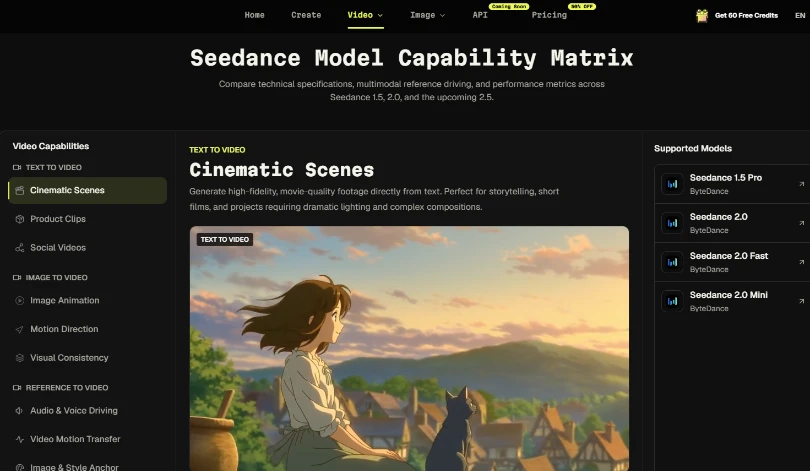
I sit on the short-form desk for celebrity-adjacent campaigns, where the deliverable is often a five-to-twelve-second teaser rather than a trailer. The pressure is recognition speed: the audience must know who is on screen before they swipe. SeeAPI’s Seedance workspace lets you start from text, an image, or a reference clip, then set Aspect Ratio, Duration, and Resolution before generate. The claim worth defending is narrow. If the keep was judged in 16:9 and the post needs a vertical crop, you did not finish the motion review. You finished a desktop rehearsal.
Desktop Approval Hides Vertical Crop Damage
On a landscape monitor, a slight pan feels elegant. In Stories, the same pan can push an ear, a necklace, or a product label out of the safe center. Reviewers then reopen the prompt and ask for “more energy,” when the real failure is that the frame never matched the publish surface. Talent teams lose hours debating adjectives while the Aspect Ratio field stayed on the default.
The expensive pattern looks productive. Someone generates three near-duplicates, names them final, and asks the manager to pick a vibe. None of those files were scrubbed inside the actual crop. The manager’s favorite still fails on a phone because the chin sits on the lower UI chrome. That is a handoff failure dressed up as creative progress.
Set Aspect Ratio Before The First Motion Pass
Treat Aspect Ratio as a booking constraint, not a polish step. If the brief is Stories-first, set the vertical ratio before the first generate. If the brief is a landscape homepage embed, keep landscape and refuse to “also crop later.” Cropping after generation invents a second review with none of the original controls attached.
Seedance’s create panel exposes Aspect Ratio beside Duration and Resolution. That placement matters. Duration decides how long the audience must recognize the face. Resolution decides whether packaging text survives the phone scrub. Aspect Ratio decides which pixels will even exist in the publish frame. Changing ratio after a keep is not a free crop. It is a new job with a new failure surface.
| Publish surface | Ratio decision | What to scrub on phone | Hard fail |
|---|---|---|---|
| Stories / Reels tile | Lock vertical before generate | Face and label in safe center | Chin or logo under UI chrome |
| Homepage embed | Keep landscape if that is the slot | Identity holds across the pan | Second face or wardrobe rewrite |
| Mixed campaign | Two separate keeps, two ratios | Same still, different crops | One landscape keep stretched vertically |
One Approved Still Owns Identity
Image-to-video from the approved talent still is the honest gate when the campaign already has a cleared photo. The prompt should own movement only: a slow push-in, a controlled head turn, fabric settling. Repeating eye color or jewelry that is already visible in the still invites the model to “improve” details that legal already signed. If identity drifts, replace the still or stop the batch. Do not add adjectives.
Duration Is A Recognition Budget
Short talent teasers fail when the first second is empty motion and the face only settles after the swipe window. Set Duration to the length you can actually defend in review, then write the prompt so recognition happens early. A longer clip that looks prettier on desktop can still lose the Stories audience if the first readable face arrives too late.
On one campaign week we burned an afternoon because the landscape keep looked generous on a monitor and empty on a phone. The first readable eyes arrived after the swipe habit of the audience. Nobody had timed recognition inside the vertical frame. The rework was not a new model. It was a Duration and ratio reset with the same cleared still.
Fast Quality And Lite Match Desk Roles
Fast, Quality, and Lite exist so teams can buy different kinds of uncertainty. Fast is for proving that the vertical frame and still are clean enough to recognize. Quality is for the keep that must survive a phone scrub before talent or brand signs off. Lite is for composition volume after the ratio and identity rules are already stable. Jumping straight to a polished route while Aspect Ratio is still wrong only buys a prettier wrong crop.
SeeAPI keeps that Seedance work inside one account history, which helps when a manager asks which file was the real keep. The history does not replace the ratio rule. It only makes the broken sequence visible: landscape generate, vertical crop, then three renamed finals. If the history shows five Quality runs and zero vertical Fast proofs, the desk spent money in the wrong order.
When the campaign also needs a non-Seedance route later, the same account story can move through the wider SeeAPI workspace without inventing a second file religion mid-review. The keep note should travel with the switch: which still, which ratio, which phone fail frame. Without that note, the next route inherits a landscape habit and repeats the same crop failure under a different logo.
Phone Scrub Rules That End Taste Arguments
Open the approved still on one half of the phone and the candidate clip on the other. Soft fail: face softens into a cousin, label edges bleed, or the subject drifts toward UI chrome. Hard fail: a rewritten face, invented wardrobe, or a second person entering the frame. Soft fail can be rerun after fixing the still or the ratio. Hard fail stops the batch even if the desktop version looked expensive.
Refuse Landscape Keeps As Vertical Sources
Stretching a landscape keep into Stories is the most common late-night shortcut on talent desks. It creates black bars, crushed faces, or aggressive center crops that no one reviewed under the original controls. If the vertical surface is required, regenerate with the vertical Aspect Ratio locked. Calling the stretched file a “resize” hides the fact that you changed the publish contract after motion was already judged.
Name The Keep With Ratio And Still
File names like final-v3 invite another round of vibe voting. Prefer a keep name that carries the still filename and the ratio decision. That habit sounds bureaucratic until a manager asks why the Stories cut no longer matches the cleared photo. Reconstructing the decision from chat screenshots costs more than the minute spent naming the keep correctly.
Ship Only Keeps Judged Inside The Publish Frame
SeeAPI is useful here when the desk already accepts that Aspect Ratio is part of acceptance, not decoration. It will not rescue a talent teaser that was approved on a wide monitor and then forced into a vertical hole. Lock the ratio, run Seedance from the cleared still, scrub on a phone, and only then talk about polish tiers.
If today’s folder is full of landscape “finals” waiting to be cropped, do not schedule them. Regenerate inside the real frame, or publish the still. A recognizable face in the correct crop beats a prettier motion pass that disappears under Stories chrome.
