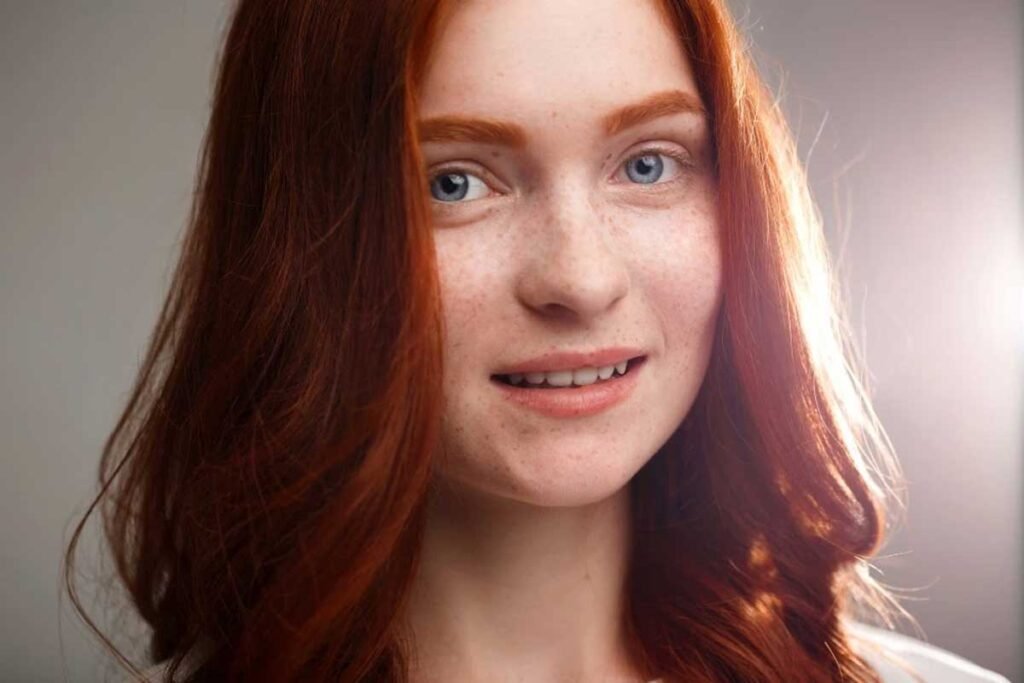
Photo editing can feel intimidating when you’re just starting out, and blemish retouching is a perfect place to begin. It’s specific, practical, and immediately improves portrait quality. But beginners often make the same mistakes—over-correcting, mismatching skin tones, or erasing too much texture—that make edits more obvious than the original blemishes.
Learning the right technique from the start saves you from developing bad habits. A good app with blemish remover functionality guides you through targeted corrections that blend naturally, making your first editing attempts look polished rather than amateur.
Start Small and Work Precisely
New editors tend to grab large brushes thinking it’ll be faster. It isn’t—large tools create blurry, mismatched patches that look worse than the original spot. Always use a tool size that closely matches the blemish you’re removing. Precise, small corrections are far easier to control and blend naturally into surrounding skin.
Work on one blemish at a time rather than rushing through multiple spots simultaneously. This focused approach helps you catch mistakes early before they compound across your entire edit.
Sample Skin Tone From the Right Place
This is where most beginners go wrong. When replacing a blemish, you need to sample skin tone from directly beside the spot—not from your cheek, forehead, or another area entirely. Skin tone shifts subtly across your face, and using the wrong source creates obvious patches that don’t match.
Always sample from within a centimeter of the blemish. The closer the source, the more seamlessly the correction blends.
Don’t Erase Texture
Underneath every blemish, your natural skin texture exists. Beginners often replace spots with smooth, featureless skin that creates blank patches more noticeable than the original problem. The corrected area should have the same pore pattern and slight texture as surrounding skin.
After removing a blemish, zoom in and compare the treated area with adjacent skin. If it looks suspiciously smooth or different, blend the edges gently until the texture matches consistently.
Understand What Actually Needs Editing
Not everything on your face requires correction. Freckles, beauty marks, and natural skin variation add character and authenticity—removing them all creates a plastic, over-edited look. Focus specifically on:
- Active breakouts and pimples
- Temporary redness from irritation
- Spots that appeared right before the photo was taken
Leave permanent features alone. They’re part of your appearance, and removing them changes how you look rather than improving your photo.
Check Your Work at Full Size
Beginners often edit while zoomed in, then never check how corrections look at normal viewing size. What seems invisible up close can look patchy or over-smoothed when you zoom out. Always finish your edits and then review the complete photo at 100% size before considering the job done.
Blemish retouching is genuinely straightforward once you understand these fundamentals. Precision, correct sampling, and preserved texture are all you need to achieve results that look completely natural.
