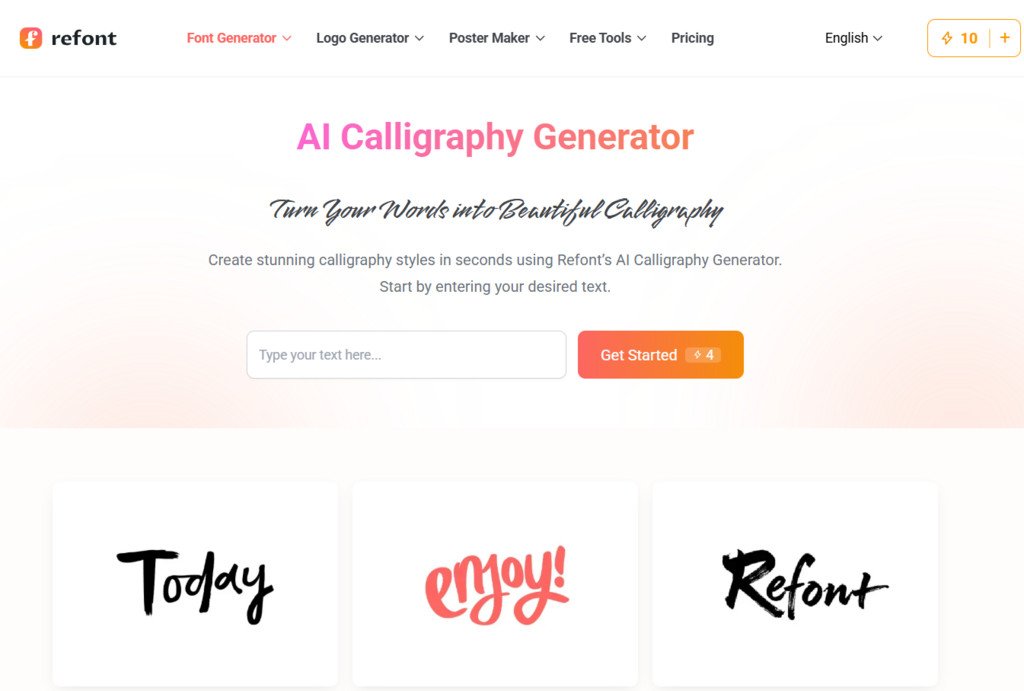
The transition from traditional paper planners to digital journaling has revolutionized how we organize our lives. With powerful apps like Goodnotes, Notability, and Freeform, the iPad has become a limitless canvas for creativity. However, a common frustration persists among digital stationery enthusiasts: the “aesthetic gap.” While the digital tools offer endless colors and layers, many users find that their own handwriting doesn’t quite match the professional, polished look they see on Pinterest or Instagram. This is where a professional-grade calligraphy font generator becomes an essential tool for the modern digital journalist.
The Pain Point of “Cold” Digital Input
For many in the journaling community, the soul of a diary lies in its visual warmth. When you use standard system fonts like Arial or Helvetica in a digital notebook, the result often feels clinical and impersonal—more like a corporate spreadsheet than a personal sanctuary. On the other hand, writing with an Apple Pencil can be challenging; screen glass lacks the natural friction of paper, often making one’s handwriting look messy or inconsistent.
A calligraphy font generator solves this by providing the perfect middle ground. It allows users to convert typed text into fluid, artistic strokes that mimic the pressure and flow of a real fountain pen. This technology doesn’t just “beautify” the page; it restores the “human touch” that is so easily lost in a digital environment. By using AI-driven styles, you can create headers and titles that look like they were painstakingly crafted by a master calligrapher, all within a matter of seconds.
Breaking the Limitations of Standard Font Files
Most digital journaling apps allow you to import custom fonts (.otf or .ttf files), but these come with a significant drawback: static repetition. In a standard font, every letter “e” is a perfect clone of the last. This mechanical perfection is the “giveaway” of a digital font. True calligraphy is celebrated for its organic variation.
When you utilize an advanced calligraphy font generator, you are moving beyond the constraints of static files. You can generate specific phrases or names with unique ligatures and flourishes that feel custom-made for that specific entry. For digital collage artists who layer textures, stickers, and photos, having a tool that generates high-resolution, transparent-background text is a productivity game-changer. It allows for a level of layering and depth that standard text boxes simply cannot achieve.
How to Use a Calligraphy Font Generator for Different Note Styles
Whether you are a “minimalist” planner or a “maximalist” digital scraper, there are several strategic ways to integrate generated calligraphy into your workflow:
- Section Headers and Monthly Spreads: The most impactful use of calligraphy is for large, bold titles. A “March” or “Weekly Goals” header rendered in a dramatic, swash-heavy script sets the tone for the entire page.
- Daily Affirmations and Quotes: Many users keep a “quote of the day” section. Using a generator allows you to experiment with different moods—choose a delicate, thin-line script for a gentle reminder, or a bold, ink-heavy style for a motivational surge.
- Digital Stickers and Overlays: By generating your text and saving it as a PNG, you can create your own library of “handwritten” stickers. These can be resized, rotated, and layered over digital “washi tape” or paper scraps within your app.
- Index and Labeling: For those with complex digital filing systems, beautiful labels make navigation a joy rather than a chore.
Restoring the Soul of Handwriting in a Paperless World
The “paperless” movement is often criticized for being too sterile. Digital journaling enthusiasts counteract this by focusing heavily on “aesthetics”—a combination of color palettes, layouts, and typography that evokes a specific feeling. The “Dark Academia” or “Minimalist Zen” styles, for instance, rely heavily on the presence of elegant, handwritten elements.
A calligraphy font generator bridges the gap between efficiency and art. You can keep the speed of digital note-taking while maintaining the high-art standards of traditional penmanship. For those who feel self-conscious about their own handwriting, this tool removes the barrier to entry. You no longer need to spend years practicing copperplate or Spencerian script to have a journal that looks like a work of art. The AI handles the technical balance of the strokes, ensuring that the descenders and ascenders don’t clash, and the weight of the letters remains balanced across the page.
Enhancing Your Social Media Presence
For many digital journalists, the joy of the hobby comes from sharing their “spreads” with a community online. Platforms like Instagram and TikTok have massive “Studygram” and “Digital Journaling” niches. To stand out in these communities, visual hierarchy is vital. A crisp, unique calligraphy header created by a generator acts as a “thumb-stopper.”
Because these generators often offer styles that are not found in the standard “top 100 free fonts” lists, your notes gain an edge of exclusivity. Your followers aren’t just seeing another “Sunday Thoughts” post; they are seeing a bespoke piece of digital typography that looks like it belongs in a high-end stationery boutique.
Pro-Tips for Aesthetic Digital Layouts
To make your generated calligraphy look even more integrated into your iPad notes, consider these professional design techniques:
- The Opacity Trick: After importing your calligraphy as an image, try slightly lowering the opacity (to about 90-95%). This allows the subtle texture of your digital “paper” background to show through the “ink,” making it look like it was actually absorbed into the page.
- Color Matching: Use the eyedropper tool in your journaling app to pick a color from one of your digital stickers or photos, then use that exact hex code in the font generator. This creates a cohesive color story that feels intentional and professional.
- Shadow Play: Many digital journaling apps allow you to add a slight drop shadow to images. Adding a tiny, soft shadow to your generated calligraphy can give it a “3D” effect, making it look like real ink sitting on top of the screen.
Conclusion: Your Digital Sanctuary, Upgraded
Digital journaling is more than just a way to track tasks; it is a form of self-care and creative expression. By removing the stress of “messy handwriting” and replacing it with the effortless elegance of an AI-powered tool, you free yourself to focus on the content of your thoughts rather than the mechanics of the pen.
In 2026, the tools we use to document our lives should be as sophisticated as our creative visions. A calligraphy font generator is the ultimate bridge between the ancient art of beautiful writing and the modern convenience of the digital age. It empowers you to create a digital journal that is not just functional, but a true reflection of your personality and aesthetic taste. Stop settling for boring, clinical text and start giving your digital notes the soul and character they deserve.
