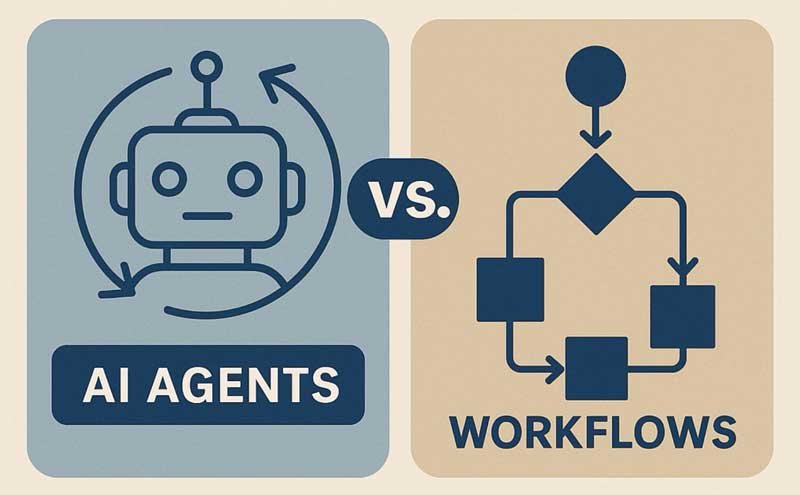
Workflow automation works well when a business already knows how a process should run. A trigger starts the flow, each rule controls the next step, and the process follows a planned route. That model has handled repetitive business work for years.
Autonomous agents introduce a different type of automation. They can read context, choose actions, and respond when the task changes halfway through. The difference grows even bigger once several agents work across the same process.
What Actually Changes When Automation Becomes Agentic?
AI agent orchestration coordinates agents that can make choices instead of following one fixed sequence. The system manages roles, task state, and handoffs while each agent handles its part.
Fixed Routes Become Context-Based Choices
A traditional workflow already knows the next step. An agent can review the current situation before selecting its next action. Two similar requests can take different routes because their context differs.
One Workflow Becomes Several Agent Roles
Complex work rarely fits into one task type. A research agent can gather information before another agent prepares the output. Each role stays focused on a defined part of the process.
Predetermined Tool Calls Become Selected Actions
A workflow usually calls specific tools at specific points. An autonomous agent can choose a tool based on what the task needs at that moment. It can also skip a tool when the current context makes that step unnecessary.
Where Traditional Workflow Automation Still Works Best
Workflow automation remains a strong fit for processes with predictable inputs and known outcomes. A scheduled data transfer does not need an agent to decide what happens next. The same applies to many alerts, routine approvals, and recurring system updates.
Fixed flows also make sense when a company wants the same action every time. Teams can inspect the sequence before anything runs and know how each trigger will behave. That level of predictability can matter more than flexibility for simple operational work.
Traditional automation can also cost less for high-volume repetitive tasks. A basic rule does not need model reasoning every time it runs. Adding agents to those jobs may create complexity without changing the result.
How Autonomous Agents Handle Work Differently
Agents become useful when business work does not follow one predictable route. They can make choices during a task instead of requiring every possible branch to be created beforehand.
They Read the Current State Before Acting
An agent can consider the request, available data, and earlier actions before choosing its next move. The same starting trigger can lead to different actions across separate cases. That makes the process more responsive to what is actually happening.
They Can Change Direction During a Task
New information can make the original plan less useful. An agent can change its next action when that information appears. A fixed workflow would usually need another condition already written into the flow.
They Can Pass Work Between Specialist Agents
One agent does not need to own the entire process. A sales agent can pass research to another agent before a content agent prepares a response. Clear handoffs keep each agent focused on work that matches its role.
What Teams Need Before Giving Agents More Freedom
Agent autonomy creates value only when the system has clear boundaries. Teams must define those boundaries before agents get access to business tools or sensitive actions.
- A clear goal for each agent
- Defined systems and data sources each agent can access
- Actions agents can take without human approval
- Actions that must stop for human review
- Limits on changing or deleting business data
- Rules for passing work between different agents
- Records of agent actions, tool calls, and approvals
- Conditions that stop a task when something goes wrong
Why Agent Systems Are Harder to Manage Than Workflows
More decision-making gives an agent system more ways to handle a task. It also creates more points where context, permissions, or agent choices can affect the final result.
More Choice Creates More Failure Paths
A fixed workflow can fail at a known step. An agent may choose the wrong tool or take an action that does not match the task. Teams need visibility into the decision that produced the problem.
Task State Becomes More Important
Several agents may work on the same request at different times. Each one needs the right information from earlier parts of the task. Missing state can cause repeated work or decisions based on outdated information.
Responsibility Can Move Between Agents
Multi-agent work depends on clear ownership at each stage. One agent may complete research before another agent acts on that information. Weak handoffs can leave tasks unfinished or send the wrong context forward.
What to Track Once Agents Start Acting Across Business Systems
Task completion alone does not show how well an agent system is working. Teams also need to see what happened between the original request and the final action.
- Successful tasks across different request types
- Failed tool calls and repeated attempts
- Human approvals requested during a task
- Agent actions blocked by company policy
- Changes made to business records or files
- Handoffs where context was lost
- Tasks stopped because an agent lacked permission
- Model and tool costs created by each task
How Guardrails Fit Into Agent Orchestration
An AI agent guardrail defines limits on what an agent can access and do. These limits become more important when agents can choose tools and take actions across business systems. The orchestration layer can apply those controls before work moves from one agent to another.
Permissions can differ based on the role assigned to each agent. A research agent may read company documents but have no right to edit them. A finance agent may prepare an action but require a person to approve it before anything changes.
Guardrails also let teams stop risky actions without removing agent autonomy from every task. Low-risk work can continue without constant approval, while sensitive actions can pause at defined points. That keeps autonomy connected to business rules rather than treating every agent action the same way.
Conclusion: Agent Orchestration Does Not Replace Every Workflow
Workflow automation still works well when a process follows known rules and rarely changes. Agent orchestration becomes more useful when the correct next step depends on new information. The two approaches can also work inside the same business process.
The real difference comes from who decides what happens next. Traditional automation puts that decision into the workflow before the process starts. Autonomous agents can make some of those decisions while the work is already happening.
FAQ
Is AI Agent Orchestration the Same as Workflow Automation?
No, they control work differently. Workflow automation follows predefined rules, while agent orchestration coordinates agents that can make choices during a task. A business process can use both approaches together.
Do Autonomous Agents Replace Traditional Automation?
Not in every process. Fixed automation still fits repetitive work where the same input should lead to the same action. Agents fit better when context frequently changes the right next step.
Can One AI Agent Handle an Entire Workflow?
One agent can manage smaller processes with related tasks. Larger processes may benefit from separate agents with different roles and permissions. This can make ownership and task handoffs easier to manage.
Why Do Multi-Agent Systems Need Orchestration?
Several agents need a way to share task state and pass work between roles. Orchestration controls how those agents interact during the process. It also gives the business one place to manage permissions and human review.
