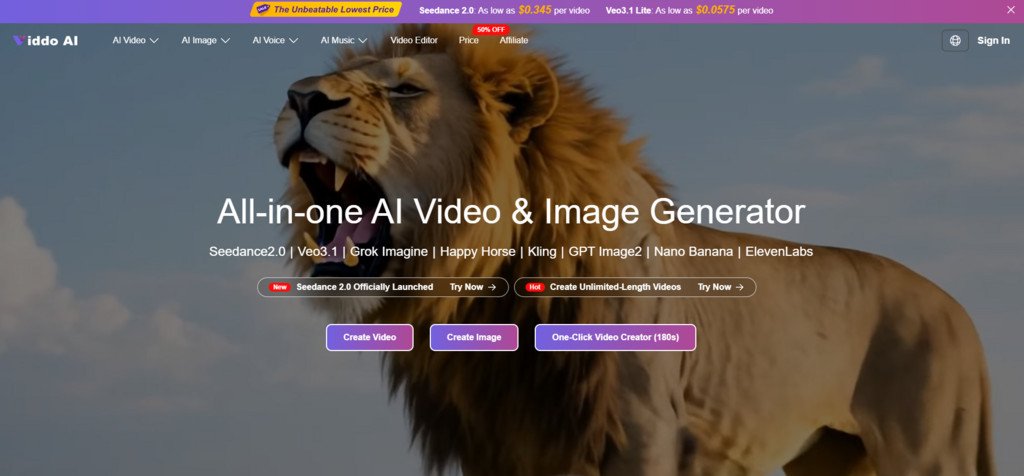
The generative video space in mid-2026 has become genuinely crowded. Google shipped Veo 3.1, Seedance launched version 2.0, Runway pushed Gen-4, and Kling reached 3.0—all within months of each other. For independent creators and small marketing teams, the problem is no longer access to powerful models but managing accounts, credits, and interfaces across half a dozen platforms. That fatigue is exactly the gap an AI Video Generator like this one tries to fill: a single workspace where you pick a model, type a prompt or upload an image, and generate without switching tabs or juggling subscriptions.
I spent time exploring the platform’s interface and documented workflow to see whether the unified approach actually holds up when you need specific results for specific jobs. Below is a structured walkthrough of what it does, how it performs across scenarios, and where the edges show.
How the Platform Aggregates Over Twenty Generative Models
The core idea behind the platform is aggregation. Rather than building a proprietary model, it integrates third-party engines—Google Veo 3 and 3.1 variants, Seedance 2.0, Kling 2.6 and 3.0, Runway Gen-4, Hailuo, Wan, Vidu, and others—under one unified interface. The same dashboard also covers image generation through GPT Image 2, Midjourney, and Nano Banana, plus music via Suno and voice synthesis through ElevenLabs and MiniMax.
What makes this interesting from a practical standpoint is that each model retains its own parameter set. When you select Seedance 2.0, for example, you get aspect ratio options ranging from 16:9 to 21:9, resolution choices from 480p to 1080p, and duration up to 15 seconds per generation. Switching to Veo 3.1 Lite surfaces a different cost-per-credit structure. The platform does not flatten these differences—it preserves them, which means the learning curve varies by model but the navigation stays consistent.
Three Scenario Tests From a Practical Creator Perspective
Short-Form Social Content With Text-to-Video
The first test was straightforward: generate a vertical 9:16 video from a descriptive prompt aimed at social media use. I selected one of the newer video models and entered a scene description with specific visual cues—lighting direction, camera movement, subject action.
What Stood Out in the Output
The generated clip maintained reasonable subject consistency across the duration. Camera motion followed the prompt direction without abrupt jumps. Skin tones and lighting felt naturalistic, though fine details like finger count and text legibility remained inconsistent—a known limitation across most current video models. For a social media post or story, the output was usable without heavy post-editing.
Image-to-Video Conversion for Product Showcase
The second scenario involved uploading a product photo and converting it to a short video with subtle motion. This is a common e-commerce need, and image-to-video tends to be more controllable than pure text-to-video because the model has a concrete visual anchor.
Practical Strengths and Gaps in This Mode
The platform handled the upload smoothly and preserved the original color palette well. Motion was gentle and appropriate—no warping or subject drift in my test. However, prompt phrasing mattered significantly. Vague instructions produced generic zoom effects, while specific motion cues yielded more intentional results. Users who invest time in prompt refinement will likely see noticeably better outcomes.
Brand Asset Consistency Across Multiple Generations
The third and most demanding test was generating several clips that needed to feel cohesive—similar lighting, color grading, and subject appearance. This is where any generative platform faces its toughest challenge.
Where Consistency Holds and Where It Breaks
Across multiple generations using the same model and similar prompts, color temperature stayed relatively stable. Subject appearance, however, drifted between generations, which is expected behavior for current diffusion-based models. The platform does offer a seed parameter, which can help reproduce specific outputs, but in my testing this did not guarantee identical results every time. Creators who need strict brand consistency should plan for some curation and selection across batches.
Walking Through the Actual Generation Process
The workflow advertised on the site is four steps. Here is what that looks like in practice.
Step One: Choose a Model That Fits the Task
Model Selection Affects Both Output Style and Cost
The model picker is the first decision point. Each model has different strengths—some prioritize realism, others lean cinematic or stylized. Critically, each also carries a different credit cost, so the choice is both creative and economic.
Step Two: Enter a Prompt or Upload Source Media
The AI Prompt Assistant Reduces Blank-Page Friction
You can type a prompt manually or use the built-in “Generate With AI” button, which expands short keywords into a fuller prompt. For users who struggle with prompt engineering, this feature lowers the entry barrier noticeably. You can also upload images or reference media directly.
Step Three: Adjust Parameters and Generate
Aspect Ratio, Resolution, and Duration Are Set Before Rendering
Before hitting generate, you choose aspect ratio, resolution, and video length. The interface also includes a web search toggle and a seed field for reproducibility. Once parameters are set, generation begins—images return in seconds, while videos typically take longer depending on model and complexity.
How the Aggregated Approach Compares to Single-Model Platforms
| Dimension | Single-Model Platform | Multi-Model Aggregator |
| Model variety per session | One model per platform | Twenty-plus models in one interface |
| Account management | Separate login per service | Single account covers all models |
| Parameter control | Deep, model-specific tuning | Preserved per model within unified UI |
| Pricing transparency | Varies by provider | Credit-based with per-video cost estimates |
| Learning curve | Low for one model, high across many | Moderate—consistent navigation, varied model behavior |
| Output curation | Limited to one model’s style | Compare outputs across models for same prompt |
| Workflow efficiency for teams | Multiple tabs and billing cycles | Centralized billing and workspace |
The aggregator approach clearly benefits users who need to test multiple models against the same brief. For someone committed to a single model’s ecosystem, though, the native platform may offer deeper integration or exclusive features.
Honest Limitations Worth Knowing Before You Commit
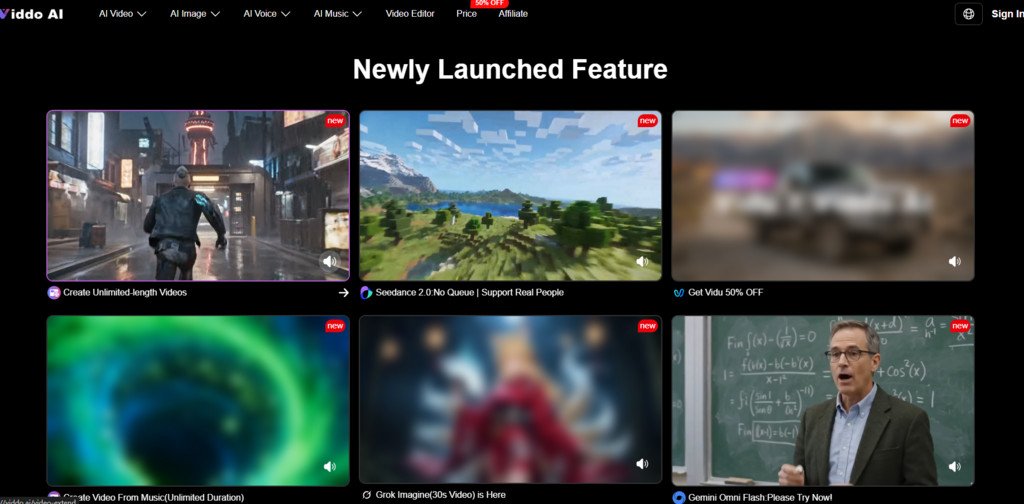
No platform eliminates the fundamental constraints of current generative AI. Prompt quality remains the single biggest variable—vague inputs produce generic outputs regardless of model. Complex scenes with multiple subjects, readable text, or precise physics simulation can require several generation attempts. Results are not guaranteed to be identical across runs, even with the same settings. The 15-second maximum per single generation means longer content requires the video extend feature, which introduces potential continuity gaps. Free-tier outputs carry watermarks, and commercial use requires a paid plan.
Which Creators Get the Most Value From This Workflow
For solo creators, freelance video editors, and small marketing teams who regularly need short-form video across different styles, Viddo AI offers a genuinely practical consolidation of tools. The ability to test the same concept across Veo, Seedance, Kling, and Runway without leaving one interface saves meaningful time during ideation and draft phases. It is less suited for production teams that need deep model-specific control or guaranteed frame-level consistency across long sequences. The sweet spot, from a practical user perspective, is rapid content prototyping and short-form asset creation where speed and variety matter more than pixel-perfect precision.
