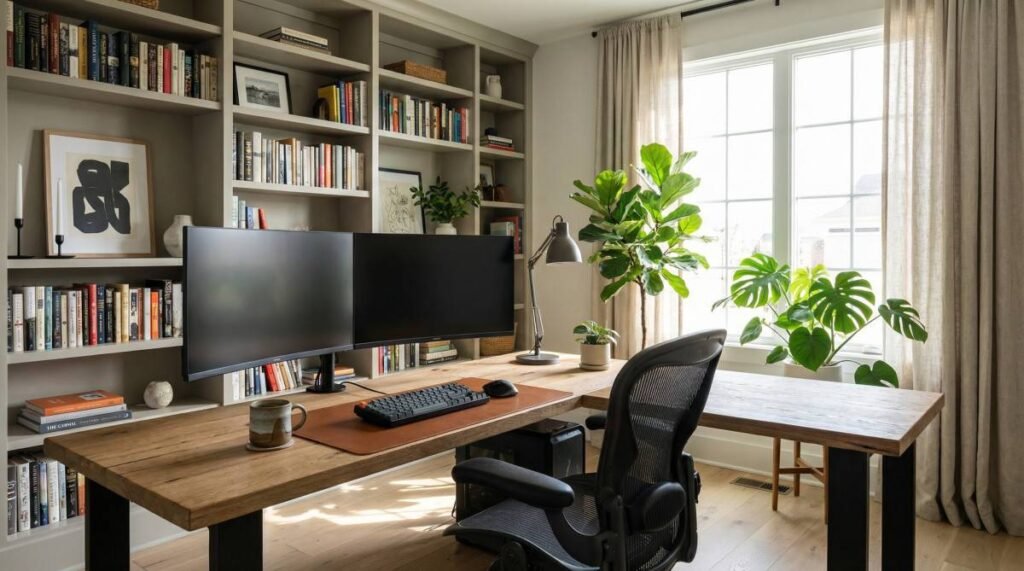
In today’s evolving professional landscape, the home office has transitioned from a temporary solution to a fundamental component of many careers. Establishing an effective home office setup is crucial not only for productivity but also for maintaining a healthy work-life balance, notes Keyrenter Miami West specialists. This comprehensive guide will walk you through the essential elements of creating a functional, comfortable, and inspiring workspace right in your own home, ensuring you can thrive in your remote work endeavors.
Ergonomics and Comfort: Prioritizing Your Well-being
Creating an ergonomic home office is paramount for long-term health and productivity. Investing in a high-quality ergonomic chair is often the first and most impactful step. Look for chairs with adjustable lumbar support, armrests, seat height, and tilt functions to ensure proper spinal alignment and reduce strain on your back and neck. A chair that supports the natural curve of your spine can prevent discomfort and potential injuries that arise from prolonged sitting.
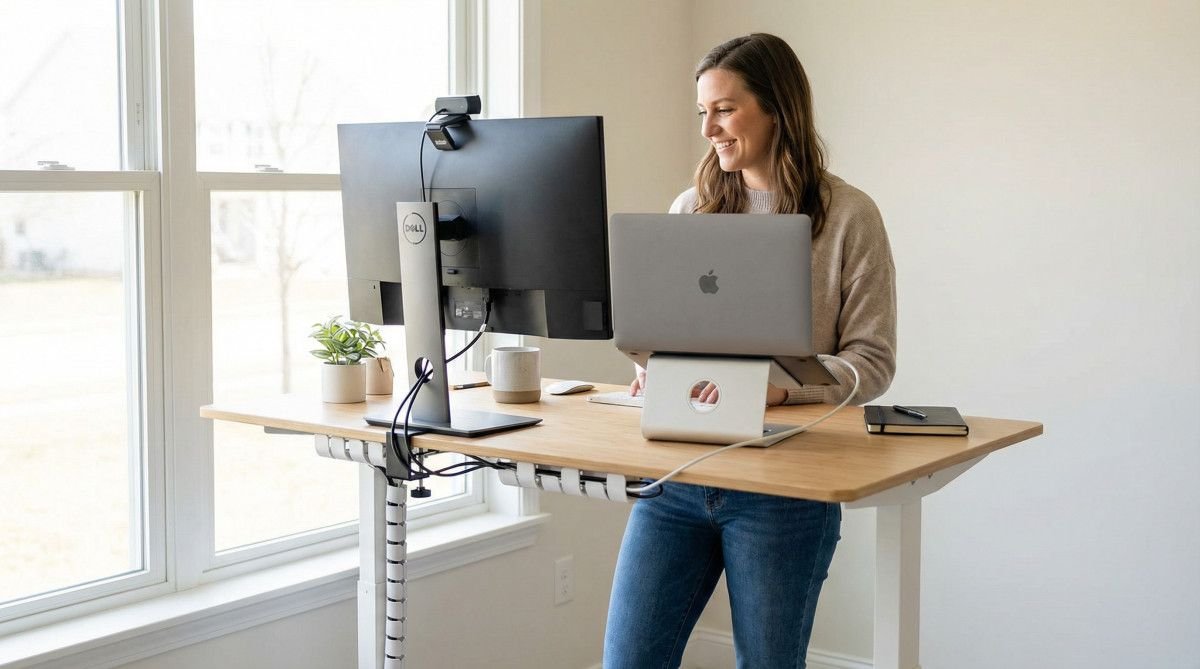
Beyond the chair, consider your desk setup. A standing desk, or a desk converter, allows you to alternate between sitting and standing throughout the day, promoting better circulation and reducing sedentary behavior. Ensure your monitor is at eye level, approximately an arm’s length away, to prevent neck strain. Use an external keyboard and mouse to maintain a neutral wrist position, further enhancing comfort and minimizing the risk of repetitive strain injuries. Proper ergonomic considerations can significantly impact your daily comfort and overall well-being.
Optimizing Lighting and Ambiance for Productivity
The right lighting can dramatically influence your mood, energy levels, and productivity. Natural light is ideal, so position your desk near a window if possible. However, avoid direct glare by using blinds or curtains. Supplement natural light with appropriate artificial lighting. A combination of ambient lighting (general room illumination), task lighting (a desk lamp), and accent lighting can create a well-balanced and inviting atmosphere.
Choose desk lamps that provide adjustable brightness and color temperature to suit different tasks and times of day. Cooler, brighter light can enhance focus during intense work, while warmer, softer light can be more relaxing for creative tasks or winding down. Beyond lighting, consider incorporating elements that boost ambiance, such as plants, personal decor, and even a subtle background music playlist. These small touches can make your home office a more enjoyable and inspiring place to work.
Technology Essentials: Connectivity and Hardware
A reliable technological infrastructure is the backbone of any efficient home office. High-speed internet is non-negotiable; ensure your Wi-Fi router is strategically placed for optimal signal strength, or consider a wired Ethernet connection for maximum stability. A dependable computer, whether a desktop or laptop, with sufficient processing power and memory, is essential for handling your daily tasks without frustrating delays.
Peripheral devices also play a critical role. A quality webcam and microphone are vital for virtual meetings, ensuring clear communication. Consider a second monitor to expand your screen real estate, which can significantly improve multitasking and workflow efficiency. Additionally, a reliable printer/scanner, external storage solutions, and a power strip with surge protection are practical additions that contribute to a seamless and productive work environment. Regularly updating software and backing up your data are also crucial practices.
Storage and Organization: Decluttering for Clarity
A cluttered workspace can lead to a cluttered mind, hindering focus and productivity. Effective storage and organization are key to maintaining a tidy and efficient home office. Start by decluttering regularly, removing unnecessary items and digitizing documents whenever possible. Invest in smart storage solutions such as filing cabinets, shelves, drawers, and desk organizers to keep your essentials within reach but out of sight.
Labeling files and folders, both physical and digital, can save valuable time when searching for information. Cable management is another often-overlooked aspect; use cable ties, sleeves, or clips to keep wires tidy and prevent tangles, which not only looks better but also reduces potential hazards. A well-organized home office promotes a sense of calm and control, allowing you to concentrate on your work without distractions.
Personalization and Inspiration: Making It Your Own
While functionality is crucial, your home office should also be a space that reflects your personality and inspires creativity. Personalizing your workspace can significantly enhance your motivation and job satisfaction. Incorporate elements that bring you joy, such as artwork, photographs, or collectibles. Choose a color scheme that resonates with you and promotes the desired mood – calming blues for focus, or energizing yellows for creativity.
Consider adding elements that support your well-being, such as an essential oil diffuser, a small indoor fountain for soothing sounds, or a comfortable reading nook for breaks. The goal is to create an environment where you feel comfortable, motivated, and inspired to do your best work. Remember, your home office is an extension of your professional self, so make it a space where you genuinely enjoy spending time.
Comparison of Home Office Desk Types
| Desk Type | Pros | Cons | Ideal User |
|---|---|---|---|
| Standard Desk | Affordable, wide variety of styles, simple setup. | No height adjustability, encourages prolonged sitting. | Budget-conscious, occasional home office use. |
| Standing Desk | Promotes movement, reduces sedentary behavior, improves circulation. | Higher cost, takes time to adjust, can be bulky. | Health-conscious, full-time remote workers, those with back issues. |
| L-Shaped Desk | Ample workspace, good for multiple monitors or tasks, utilizes corner space. | Requires more room, can be expensive, less flexible placement. | Power users, designers, those needing extensive surface area. |
| Wall-Mounted Desk | Space-saving, minimalist design, can be height-adjustable. | Limited weight capacity, fixed location, less storage. | Small spaces, minimalist aesthetic, occasional use. |
Frequently Asked Questions About Home Office Setups
What is the ideal location for a home office?
The ideal location for a home office is a quiet space with minimal distractions, preferably near a window for natural light. It should be a dedicated area that allows you to separate your work life from your personal life. Consider factors like noise levels, foot traffic, and access to power outlets when choosing your spot.
How can I make my home office more ergonomic?
To make your home office more ergonomic, focus on your chair, desk, and monitor placement. Invest in an ergonomic chair with adjustable features. Ensure your monitor is at eye level, and use an external keyboard and mouse to maintain neutral wrist posture. Take regular breaks to stretch and move around.
What are essential tech gadgets for a home office?
Essential tech gadgets for a home office include a reliable computer, high-speed internet, a quality webcam and microphone for virtual meetings, and a second monitor for enhanced productivity. A good printer/scanner, external storage, and a surge protector are also highly recommended.
How do I keep my home office organized?
To keep your home office organized, regularly declutter and invest in smart storage solutions like shelves, drawers, and desk organizers. Implement cable management to keep wires tidy. Labeling files and folders, both physical and digital, will also help maintain order and efficiency.
Can a home office increase my home value?
While a dedicated home office can be a significant selling point, its impact on home value can vary. A well-designed, functional, and aesthetically pleasing home office can certainly appeal to potential buyers, especially in a market where remote work is prevalent. However, it
is unlikely to dramatically increase the overall appraised value of your home on its own. Its value lies more in its appeal to a specific buyer demographic.
Conclusion: Building Your Productive Sanctuary
Creating an optimal home office setup is an investment in your productivity, well-being, and professional success. By carefully considering ergonomics, lighting, technology, organization, and personalization, you can transform any space into a dedicated sanctuary for work. Remember that your home office is a dynamic environment; regularly assess your needs and make adjustments to ensure it continues to support your evolving work habits and goals. A well-designed home office is not just a place to work; it’s a space where you can thrive.
